

macOS · Show control
Cover every screen, on cue.
Show a still or looping video on every connected display, then clear it with one OSC message. Built for unattended Macs in theatres, control rooms and installations.
macOS 14.6 (Sonoma) or later · Free to use with watermark - Licensable to remove
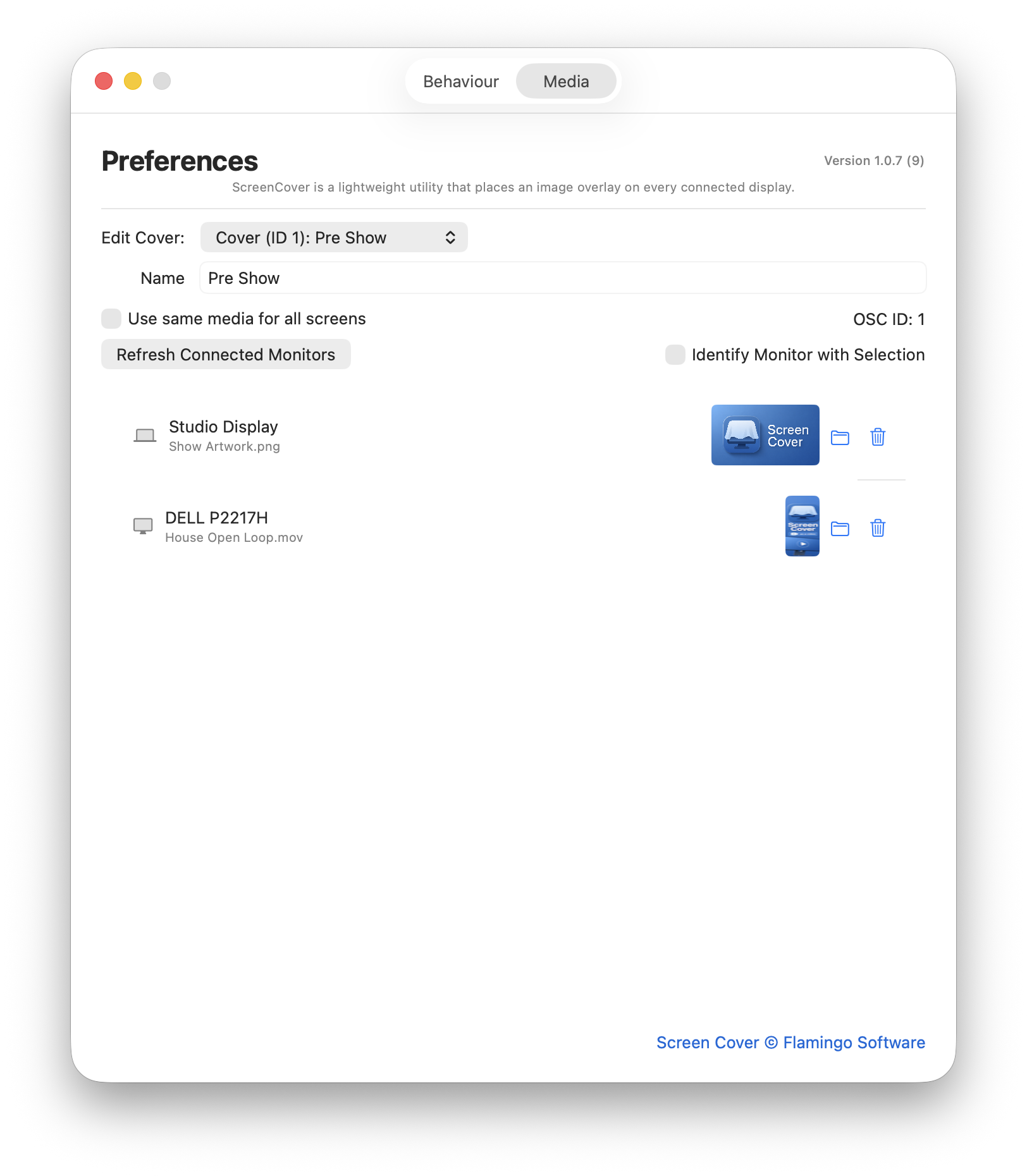
Different artwork on every display
Assign a still image or a looping video to each connected monitor, or push the same media to all of them at once. Displays are listed by name, and an identify option flashes the screen so you know which is which.
Covers are saved as numbered presets — a pre-show holding slide, an interval loop and a blackout are one OSC message apart.
Fade it in, and lock it down
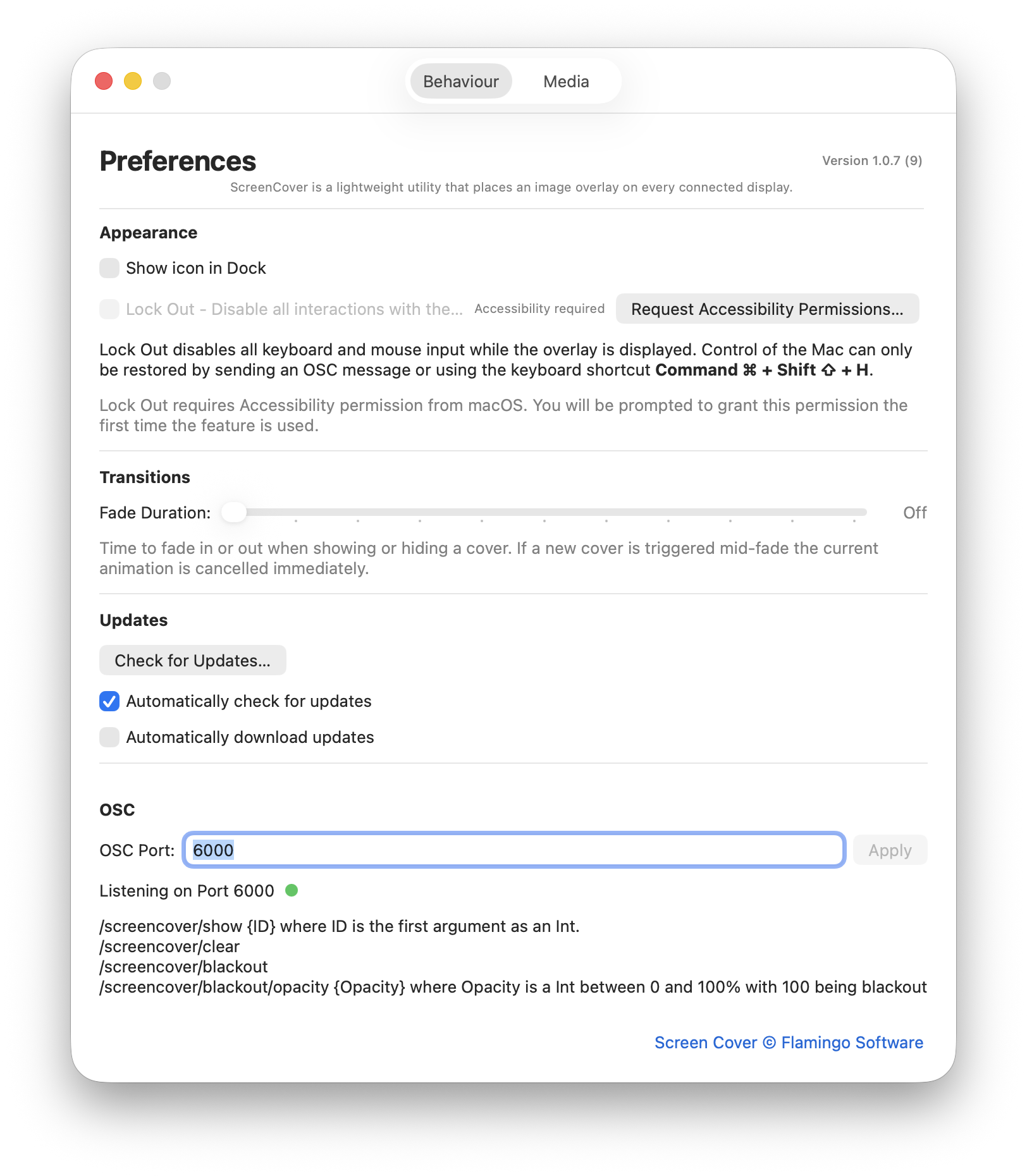
Set a fade duration and covers ease in and out rather than snapping. Trigger a different cover mid-fade and the running animation is cancelled immediately, so a late cue never has to wait for the last one to finish.
Lock Out disables keyboard and mouse input for as long as a cover is displayed, so a passing elbow can't drop a cue on an unattended system. Control comes back with an OSC message or with a keyboard shortcut.*
Lock Out needs macOS Accessibility permission, which you can grant straight from the preferences pane.
Lives in the menu bar
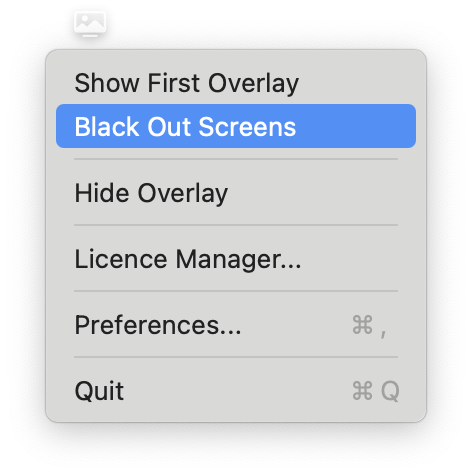
No dock icon and no window in the way. ScreenCover runs from the menu bar, so covers can be called up by hand during a fit-up and left entirely to show control once you're running.
Driven over OSC
Point your OSC capable show control software at ScreenCover and every cover becomes a cue.
/screencover/clear
/screencover/blackout
/screencover/blackout/opacity {Opacity}
- /screencover/show takes one integer argument — the OSC ID of the cover you want on screen. Each cover shows its ID next to its name in preferences.
- /screencover/clear removes the cover and hands the machine back.
- /screencover/blackout blacks out every connected display, recallable at any time.
- /screencover/blackout/opacity takes an integer from 0 to 100, where 100 is fully black — so you can knock a display back rather than kill it outright.
- The listening port is editable in preferences, with a live indicator so you can confirm it's up before doors.
Licensing
ScreenCover is free to download and use with a watermark. A license removes it, and licenses are a one-off payment — not a subscription.
Solo license
One production machine
- Watermark removed
- All features, no time limit
- Free updates
Multi-machine license
Covers five production machines
- Everything in the solo license
- Five machines under one license
- Suits a touring rack or a venue's fleet
Free with watermark
No time limit, no account
- Every feature unlocked
- Test it in your own system first
- No account required
Requirements
- macOS 14.6 (Sonoma) or later
- Accessibility permission, if you use Lock Out
Good to know
- Still images and looping video are both supported
- Adjustable fade in and out, or off entirely
- Built-in updater, with optional automatic checks
- Runs without a dock icon
Try It For Free
Put your show artwork on every display and trigger it from your show-control system.