
macOS · Network utility
Every IP you need, in the menu bar.
Every IP you need, in the menu bar. Store addresses for every show device and switch your Mac’s IPv4 settings without opening System Settings.
Free · macOS 13.5 (Ventura) or later
01
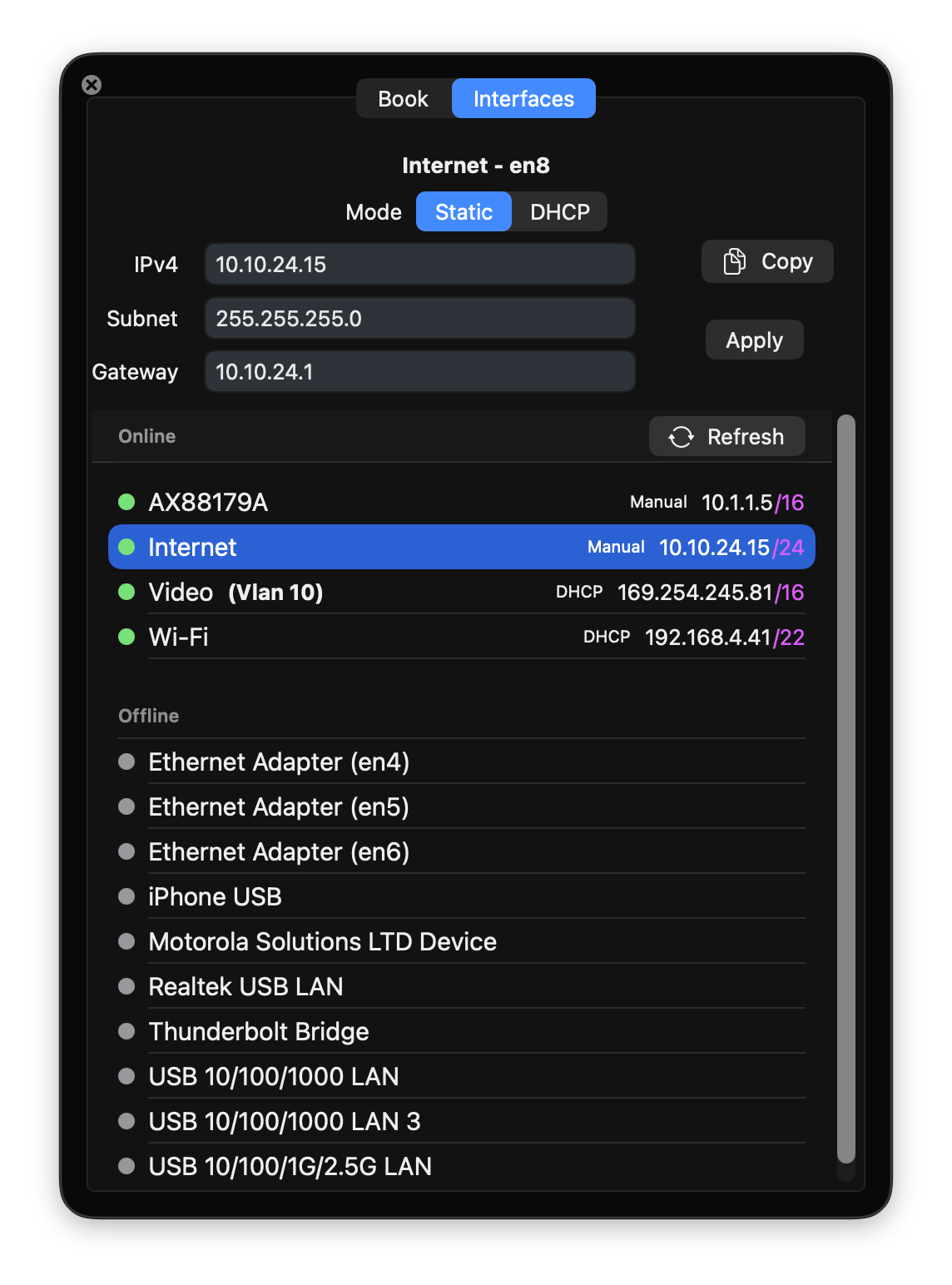
Set any interface from the menu bar
- Every adapter, live
- Online interfaces are listed apart from offline ones, each showing its current address and whether that came from DHCP or was set by hand. VLANs sit with their parent.
- Edit and apply
- Change the IPv4, subnet and gateway on the selected interface and apply, or flip it to DHCP — no trip through System Settings.
- Full subnet notation
- Addresses read as 10.1.1.5/16 or 192.168.4.41/22, so the mask is obvious at a glance rather than something you decode from 255.255.0.0.
02
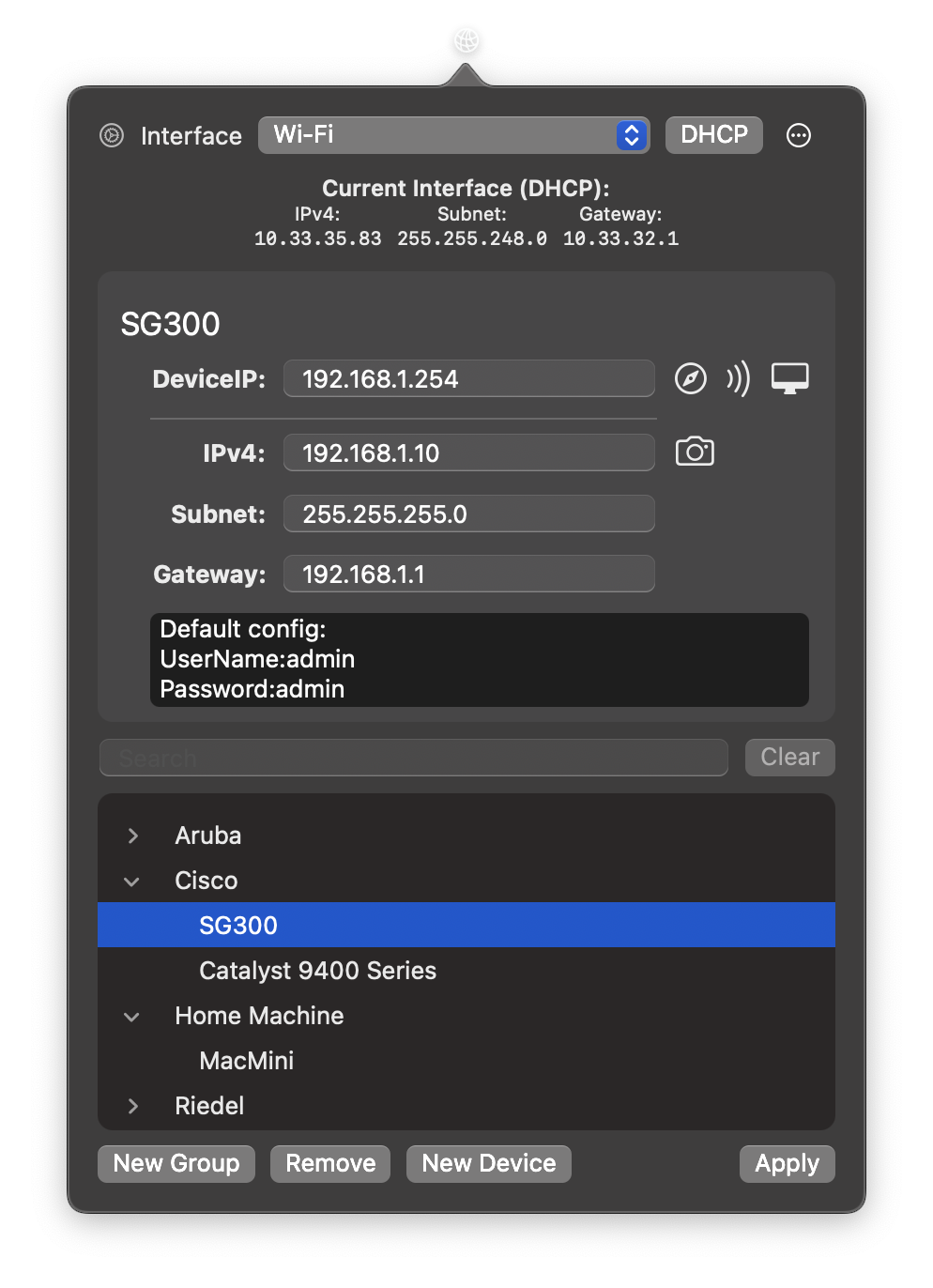
The whole system in one book
- Store every device
- An address, subnet, gateway and a notes field for each one — rack position, login, the quirks worth remembering — arranged into searchable groups by site, rack or manufacturer.
- Capture what's already set
- Pull the current interface settings straight into the book rather than transcribing them.
- Quick launch
- Start a ping in Terminal, open a screen share, or load the device's web interface in your browser.
03
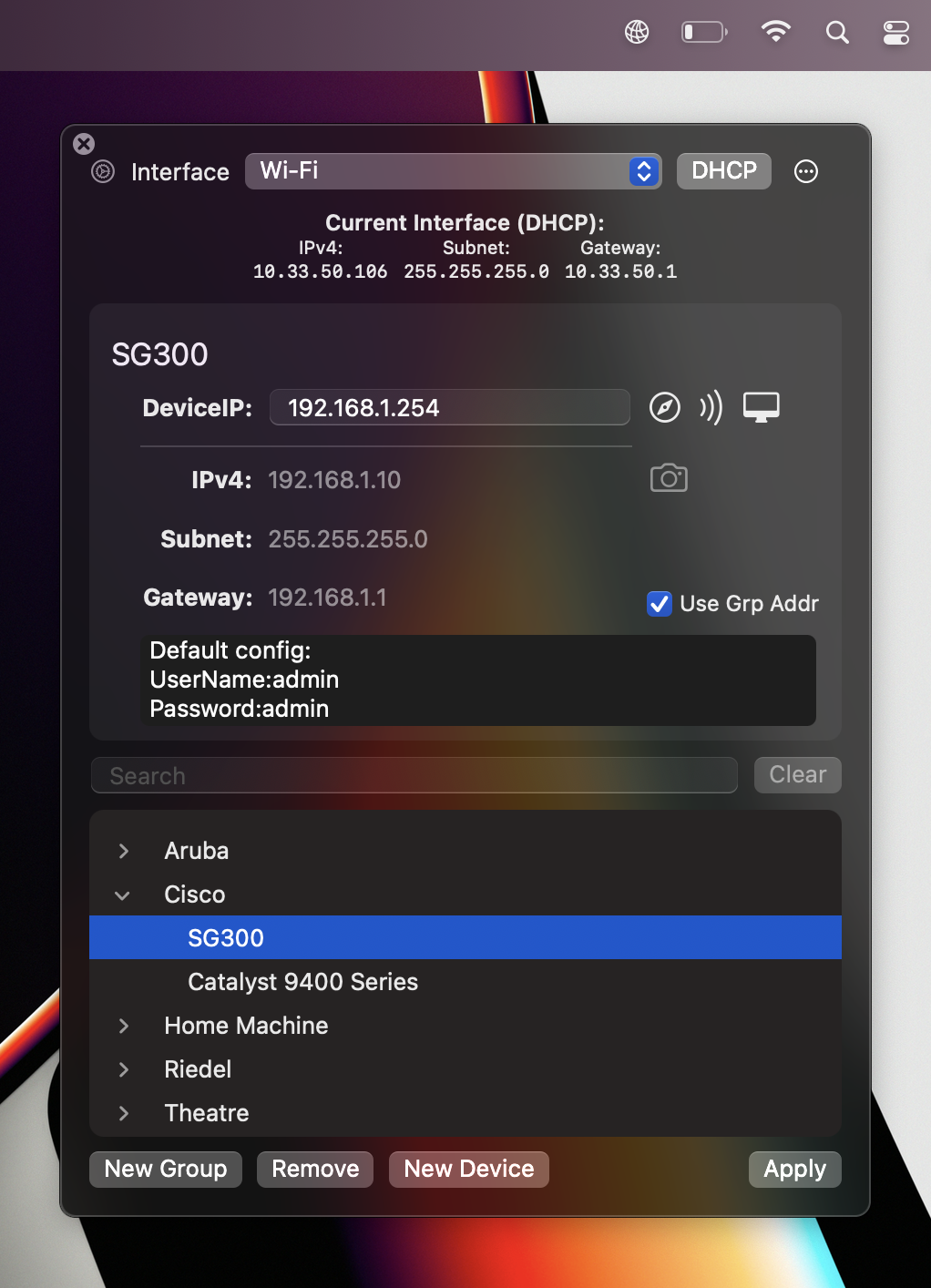
Reuse one IP profile across a group
- Group IPv4
- Assign an address to a group and let its devices borrow it when connecting, instead of repeating it on every entry.
- Update once
- Change the group's address and every device set to use it follows.
Everything it does
AddressBook is free, with no license to buy and nothing held back.
- Store and group IPv4, subnet and gateway addresses for devices
- See every adapter on the machine, online and offline, in one list
- Read addresses in full subnet notation — 10.1.1.5/16 — not just a mask
- Reach interface settings straight from the menu bar
- Pull the window off the menu bar to leave it floating
- Keep notes against each device
- Open a device's IP in your default browser
- Start a ping in Terminal with one click
- Launch screen sharing to a device
- Capture the current interface settings
- Toggle between a manual address and DHCP
- Give a group — a site, say — an address that its devices can use
Minimum system requirement — macOS 13.5 (Ventura) or later.
Free, and it stays free
Download AddressBook, load in the addresses you keep retyping, and get the afternoon back.